Start with the page that matches your question
ReviewBomb has several page types because different questions need different context. A live alert feed is useful when you want to know what is happening now. It is less useful when you want to understand whether a game has been unstable for months.
The easiest way to navigate the site is to begin with the question you actually have.
Game pages answer "what is happening around this title?"
Game pages are the best entry point when you care about one specific game. They combine current alert state, score and review totals, historical charts, incident history, related articles, and connected-title context.
The Related Games tab is where that connected-title context becomes practical. It now surfaces other titles linked through shared studio or publisher context, incident spillover, and shared coverage so you can tell whether a story looks isolated or part of a wider cluster.
If you want the broadest picture for a single title, start there. They are built to answer questions about Steam reviews, review-bomb history, and whether player trust looks stable or fragile.
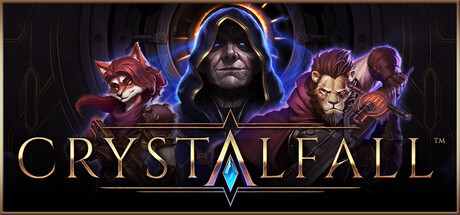
For concrete examples, compare a launch-collapse page like Crystalfall, a repeat patch-pressure page like Slay the Spire 2, and a recovery-led page like Gray Zone Warfare.
Incident pages answer "what happened in this exact event?"
Incident pages narrow the focus. They describe one review event: the opening window, severity, likely causes, recovery path, timeline events, and nearby related incidents.
The Related tab helps you branch out from that one event into similar incidents, connected titles, and supporting coverage. That makes it easier to decide whether the event belongs to a repeat pattern, a publisher-side cluster, or a one-off shock.
These pages are most useful when you are analyzing one surge instead of the whole game history.
Topic hubs answer "what kind of pattern is this?"
Topic hubs group similar events into recurring models such as Review Bombs on Steam, Patch Backlash, Steam Launch Collapse, and Steam Review Recovery.
They are the fastest way to move from one noisy story into a repeatable interpretation model.
Leaderboards and reports answer "what keeps standing out?"
Leaderboards are comparison tools. Reports summarize a period. Together they show which incidents were biggest, which escalated fastest, which titles became repeat-pressure names, and which patterns kept recurring across the archive.
They are strongest when paired with methodology notes, because a ranking alone does not explain why the pattern formed.
What happens next
Once you know which page answers which question, move outward deliberately. Start with one game page, jump into the incident page for the exact surge, then use a topic hub or report to decide whether the pattern is isolated or recurring.
ReviewBomb verdict
The best way to read ReviewBomb is to move from page type to page type on purpose: game pages for one title, incident pages for one event, topic hubs for the pattern, and reports or leaderboards for the wider market view.
For more context, see what a Steam review bomb is and how it works.
Related incident data: compare this coverage with the tracked Slay the Spire 2 incident, where ReviewBomb keeps the review velocity and severity context attached to the live dataset.